Made for macOS

Better words,right where you are.

Translate and proofread selected text in any app without breaking your flow, opening another tab, or surrendering your privacy.

macOS 15 or later Apple silicon

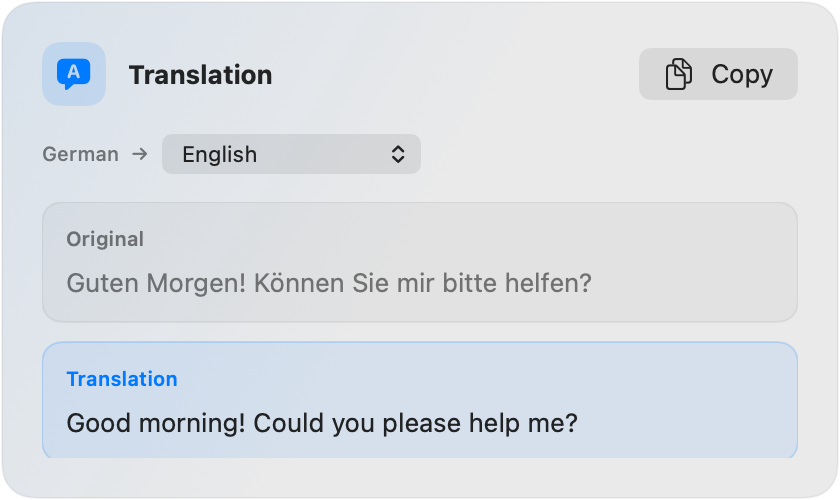
Verba translating a German sentence into English

01 Native macOS experience

02 No accounts or analytics

03 Your words stay yours

One shortcut away

From selected to solved.

Verba lives quietly in your menu bar and appears only when you need it.

  1. 01

    Select

    Highlight text in Mail, Notes, Safari, your editor, or almost any other app.

  2. 02

    Shortcut

    Press your translation or proofreading shortcut. Both are fully customizable.

  3. 03

    Copy

    Review the result in a compact window, copy it, and carry on with your work.

Two focused tools

Say exactly what you mean.

One lightweight app for the two language tasks that interrupt your day most.

01 / Translate

Every language.
No context switch.

Translate selected text through Apple’s built-in Translation framework. Choose your target language once and keep moving.

  • Runs through Apple’s Translation framework
  • Works across your favorite Mac apps
  • Customizable global shortcut
Verba translation result window
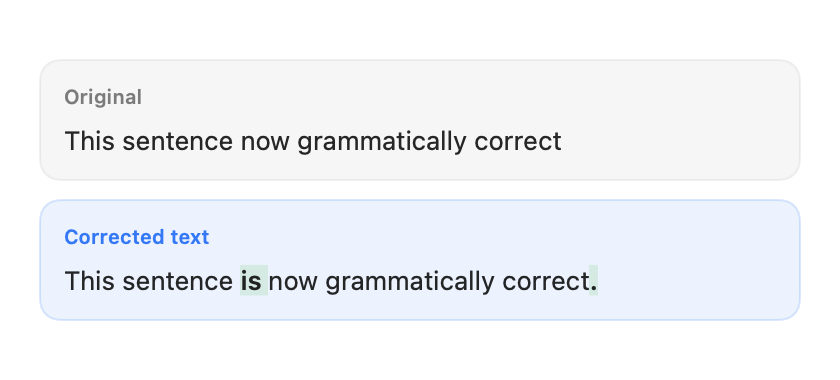
Verba proofreading result with corrections highlighted
02 / Proofread

Polished writing.
Still your voice.

Fix spelling and grammar with your own OpenAI API key. Verba highlights corrections so you can review every change.

  • Review corrections before copying
  • Preserves tone, meaning, and formatting
  • Your API key stays in macOS Keychain

Privacy is the architecture

Your words aren’t our business.

Verba has no accounts, no analytics, no advertising, no history, and no cloud synchronization. It processes only what you select, only when you ask.

Read our plain-English privacy details
0accounts
0analytics events
0text history
YoursAPI key, secured in Keychain

Designed to disappear

A good utility knows when to leave.

Appears near your pointer

The result lands where your attention already is instead of in another window across the screen.

Your shortcuts, your way

Keep the defaults or record key combinations that match your muscle memory.

No automatic replacement

Verba never edits your writing behind your back. Review first, then choose what to copy.

Native from menu bar to result

Built for macOS with familiar controls, system permissions, and a genuinely lightweight footprint.

Stay in your flow

Write across languages.
Think in one place.

Verba is ready whenever your words need a little help.

Download for MacRequires macOS 15+ and Apple silicon